AI & Media

How to Spot AI-Generated Images, Video and Voice Clones

How to spot deepfakes and AI-generated media: visual tells in images and video, signs of voice clones, verification tools and how to protect yourself.
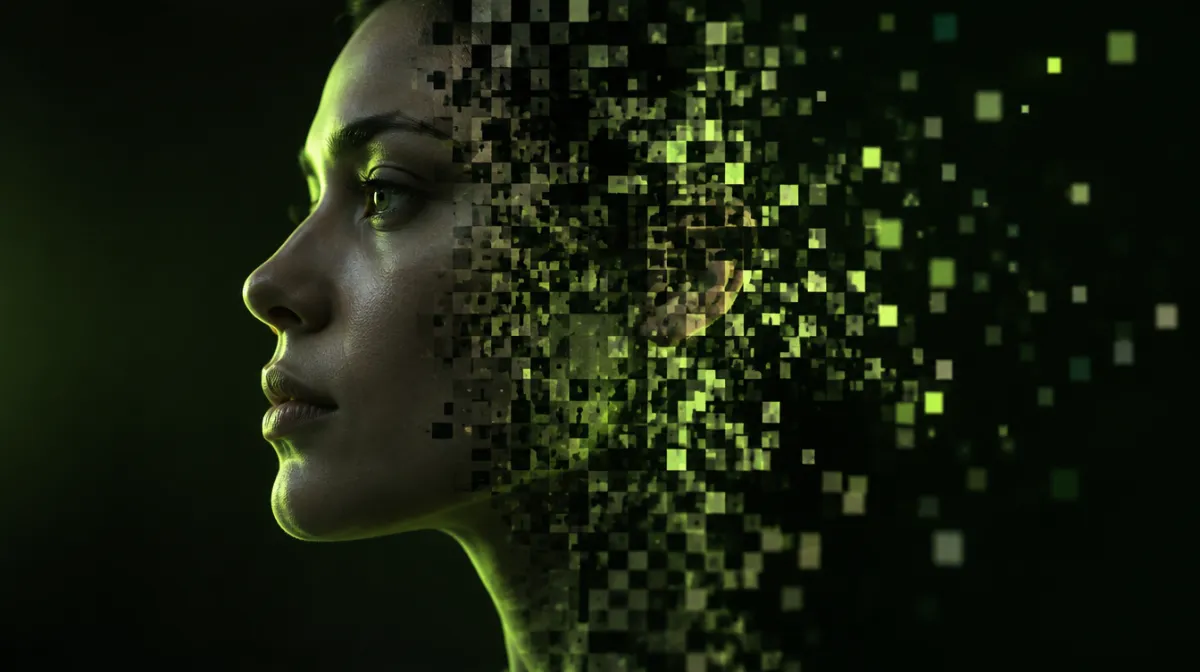
A synthetic face in profile, half photographic and half dissolving into digital pixels
Illustration: AIEmulate / AI-generated.

Key takeaways

  • Visual tells are fading as tools improve; checking the source and context matters more than spotting glitches.
  • Be most suspicious of media that is emotional, urgent and asks you to act, pay or share.
  • Agree a family “safe word” to defeat voice-clone phone scams.
On this page

AI can now generate convincing photos of events that never happened, videos of people saying things they never said and phone calls in a loved one’s voice. Our guide to AI video generators explains how the video tools work. Some of this is harmless fun. Some of it is used for scams, fraud and misinformation. Here’s how to protect yourself.

First, a reality check

Visual glitches that once gave AI away, like extra fingers or garbled text, are becoming rarer with every new model. Relying on spotting mistakes is no longer enough, and the same goes for text: AI text detectors are unreliable too. The most reliable defence is to check the source and the context, not just the pixels.

Fakes also work best when they tell people what they already expect or want to believe. That isn’t new: in the early 20th century, a forged fossil fooled scientists for four decades, as Famous Controversies explains in its history of the Piltdown Man hoax.

Signs of an AI-generated image

  • Hands, teeth, ears and jewellery that look slightly wrong or inconsistent.
  • Text on signs, clothes or documents that is garbled or doesn’t quite make sense.
  • Lighting and shadows that don’t match, or reflections that don’t line up.
  • Backgrounds where objects melt together, repeat or make no physical sense.
  • An overly smooth, polished look, especially on skin.

Signs of a deepfake video

  • Lip movements that don’t quite match the audio.
  • Blinking and expressions that look unnatural or mechanical.
  • Edges around the face, hair and glasses that blur or flicker, especially when the person turns their head.
  • Lighting on the face that doesn’t match the scene.
  • Audio that sounds flat, too clean or oddly paced.

Signs of a voice clone

  • A familiar voice with unusual urgency: an accident, an arrest, a kidnapping, an emergency payment.
  • Pressure to act immediately and keep it secret.
  • Requests for money transfers, gift cards or crypto. Our guide to protecting yourself from voice cloning explains how these calls usually work.
  • Odd pauses, a strangely flat emotional tone or answers that don’t quite fit your questions.

How to verify

  1. Check the source. Who posted it first? Is it from a known outlet or an anonymous account?
  2. Search for it. Use a reverse image search, and check whether reputable news organisations are reporting the same thing.
  3. Look for the original. Fakes often use real footage with altered audio or context.
  4. Check for content credentials. Some cameras, editing tools and AI generators attach provenance data using standards such as C2PA, which can show how a file was created or edited.
  5. Pause before sharing. If it makes you angry or afraid, that’s exactly when to slow down.

Protect yourself and your family

  • Agree a family safe word that anyone calling with an emergency must say.
  • Hang up and call back on a number you already know.
  • Limit public audio and video of yourself if you are concerned about voice cloning.
  • Enable multi-factor authentication on accounts, so a cloned voice can’t reset them.
  • Talk to older relatives, who are often targeted by voice-clone scams.

If you’ve been targeted

  • Stop contact and don’t send money.
  • Contact your bank immediately if you’ve paid.
  • Report it to the platform where the content appeared.
  • Report fraud to your national authority, such as the FTC in the US or Action Fraud in the UK.

Frequently asked questions

Can AI detectors reliably spot fakes?

Not reliably. Detection tools can help, but they make mistakes in both directions. Use them alongside source and context checks.

Are all AI-generated images fake news?

No. Many are used openly for art, design and illustration. The problem is when synthetic media is presented as real.

How can I prove a photo is real?

Provenance tools like content credentials can help, as can original files, metadata and corroborating sources.

Sources

  1. Coalition for Content Provenance and Authenticity (C2PA)
  2. US Federal Trade Commission — voice cloning and impersonation scams

Every article is edited by a human and checked against our editorial policy. Spotted a mistake? Tell us.

Keep reading